Skip to content

Integrate — CRM & Integrations

CRM Development & Integrations

Extend the CRM you already run, or own one built from scratch. Either way, we connect your sales, billing and operations tools into a single source of truth built around your workflow.

Is this you?

Signs your data isn’t flowing between systems.

Most integration problems aren’t CRM problems — they’re data flow problems. If several of these sound familiar, the fix is usually plumbing, not a new platform.

  • Your team re-enters the same customer details in several tools
  • Leads stall because handoffs between teams aren’t automated
  • Nobody trusts the pipeline numbers because they’re updated by hand
  • Your CRM reflects a vendor template, not how you sell
  • A new tool needs to talk to five existing ones
  • Deal stages and billing status drift out of sync
  • You suspect you’ve outgrown your current CRM entirely

Integrations

Systems we connect most often.

If it has an API or fires a webhook, we can usually connect it. These are the ones we see on most projects.

  • HubSpot
  • Salesforce
  • Zoho
  • Pipedrive
  • Go High Level
  • ServiceNow
  • Stripe
  • QuickBooks
  • Mailchimp
  • Resend
  • Twilio
  • Zapier
  • PostgreSQL
  • MySQL
  • Firebase

Platform by platform

What we actually do on each platform.

Whether we’re extending a platform you already run or connecting it to something new, here’s the specific work each one usually involves.

  • HubSpot

    CRM & marketing

    Pipeline setup, contact workflows, deal automation and custom property mapping, so marketing and sales work from the same records.

  • Salesforce

    Enterprise CRM

    Object modeling, Flow automation, external data connected through the API and report dashboards built around your pipeline.

  • Zoho

    CRM & business apps

    Zoho CRM modules, workflow rules and Deluge automations set up around your process, with records synced to the rest of the Zoho suite and your other tools.

  • Pipedrive

    Sales pipeline CRM

    Pipeline stages matched to how you actually sell, with deals and contacts kept in sync with billing and the rest of your stack.

  • Go High Level

    CRM & automation

    Contacts, pipelines and follow-up automations connected to the tools your team already uses, instead of living in a separate silo.

  • ServiceNow

    IT & service management

    Tickets, service requests and asset records connected to your CRM and apps through the REST API, so an issue logged in one system shows up where your team already works.

  • Stripe

    Billing & payments

    Subscription status, payments and revenue data synced to your CRM through webhooks, so sales sees what billing sees.

  • QuickBooks

    Accounting

    Invoices, payments and customer records synced between QuickBooks and your CRM or app, so finance isn’t re-keying what sales already entered.

  • Mailchimp

    Email marketing

    Audience sync, tag-based segmentation and campaign flows triggered by events in your app or CRM.

  • Resend & Twilio

    Email & SMS

    Confirmations, reminders and alerts sent automatically when something happens in your CRM, without anyone pressing send.

  • Zapier

    Automation layer

    Cross-platform triggers for teams not yet ready for custom infrastructure, with a clear path to migrate when volume grows.

  • Custom CRM

    Built from scratch

    A CRM designed and built around your exact workflow. You own the software and your data, with no per-seat licensing, on a stack chosen to fit your team.

Extend or build

Build on what you have, or start from scratch.

Some teams need more out of the CRM they already run. Others are better off owning one built around them. We do both, and we’ll help you work out which path fits.

Best when
Extend your current CRMYour team knows the tool and it mostly works, but it’s missing features, integrations or automations.
Build a custom CRMWorkarounds have become the job, or licensing is a growing line item you’d rather stop paying.
What we do
Extend your current CRMCustom objects, fields, automations, integrations and add-on apps built on the platform you already pay for.
Build a custom CRMA CRM designed and built around your exact workflow, with your existing data migrated in.
Time to launch
Extend your current CRMFaster. Smaller extensions and integrations can land in a few weeks.
Build a custom CRMLonger. A custom CRM is a full software build, scoped and timed individually.
Ongoing cost
Extend your current CRMPer-seat licensing that grows with your team, plus the vendor’s price increases.
Build a custom CRMNo per-seat fees. Hosting and ongoing support usually cost far less than licensing over a few years.
Ownership
Extend your current CRMThe vendor owns the platform, and you can only change what it allows.
Build a custom CRMYou own the software and your data outright, and it changes whenever your process does.
Maintenance
Extend your current CRMThe vendor handles uptime, security and updates; we maintain what we build on top.
Build a custom CRMMonitoring, updates and fixes from the team that built it.

How we work

From workflow audit to monitored syncs.

Integration architecture is decided before any code is written, so edge cases are decisions, not surprises.

  1. 01

    Workflow audit

    We map your sales, operations and billing workflows to find where data gets lost, duplicated or manually re-entered between people and systems.

  2. 02

    Integration architecture

    Data model, sync direction, conflict-resolution rules and API authentication designed before any code is written, so edge cases are decisions, not surprises.

  3. 03

    Build & test

    Integrations built in staging against real data shapes, then tested with edge cases before anything touches production. You see working syncs early.

  4. 04

    Cutover & training

    We coordinate go-live, document every workflow and train your team, so the handoff doesn’t create a support backlog.

  5. 05

    Monitored support

    APIs change and integrations break. We watch the pipelines, respond to webhook failures and keep everything current as third-party APIs evolve.

In production

CRM and integration work we’ve shipped.

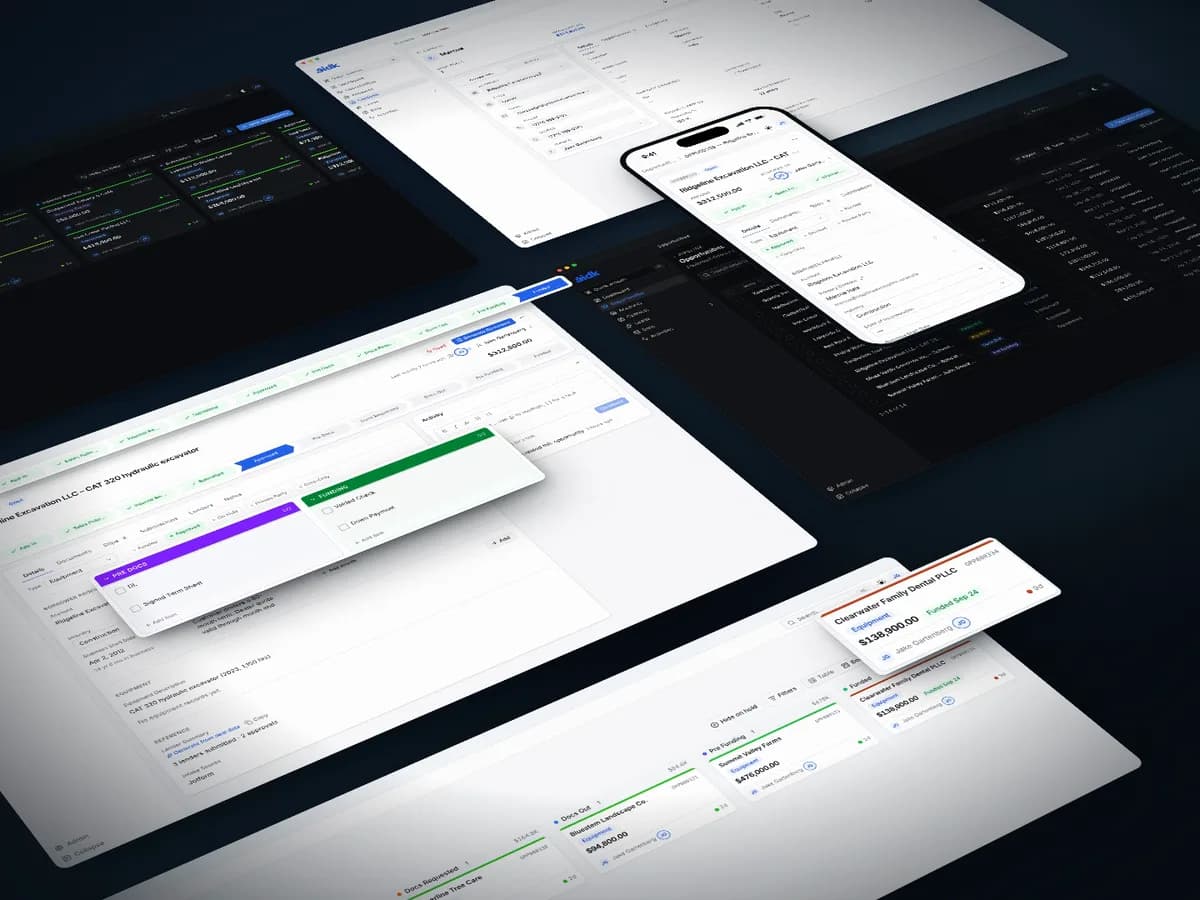
Golden Capital – a website, dealer portal and CRM for equipment financing

We designed and built Golden Capital's website, an invite-only portal where equipment dealers track their deals, and the internal CRM that carries each deal to funding.

Client
Golden Capital
Industry
Commercial equipment financing
Stack
Next.js · React · TypeScript · Tailwind CSS · shadcn/ui · PostgreSQL
  • Website, dealer portal and internal CRM, designed and built by Altius
  • Invite-only portal with multi-factor sign-in and a full audit log
  • OCR-first document intake, with AI only where OCR falls short

FAQ

What people ask before connecting systems.

Something else on your mind? Ask us directly.

01Which CRMs do you work with?

HubSpot, Salesforce, Zoho, Pipedrive and Go High Level are the platforms we extend and integrate most often: new features, automations and connections built on the system you already run. When you’d rather own your CRM outright, we design and build one from scratch. Either way the goal is the same: one system your team trusts instead of five they tolerate.

02Do I need a custom CRM, or HubSpot or Salesforce?

It mostly comes down to licensing. HubSpot and Salesforce charge per user, every year, plus paid tiers and add-ons for the features you actually need, so the bill grows with your team and never stops. A custom CRM is built once around how your business works: no per-seat fees, no vendor price increases, and you own the software and your data outright. It can be shaped to fit your process exactly, instead of bending your process to a vendor’s template. You still pay for hosting and ongoing support, but for a growing team that usually costs far less over a few years than licensing. If your team is small and your process is standard, an off-the-shelf CRM can still be the right call, and we’ll run the numbers with you on the first call.

03Can you set up two-way sync between our CRM and other tools?

Yes — it’s one of the most common things we build. The hard part isn’t the API calls; it’s deciding which system wins when the same record changes in two places. We design conflict-resolution rules and audit logging up front, so the sync stays trustworthy instead of quietly overwriting good data.

04Can you migrate our existing CRM data?

Yes. We map your existing fields to the new system, deduplicate contacts and deals, and validate the migrated data against the source before cutover — with a rollback plan in case anything looks wrong. Your team never works from a half-migrated system.

05How much do CRM projects cost?

Every integration is scoped individually — it depends on how many systems are involved and how complex the sync rules are. A single pipeline is a very different project from a full custom CRM. Share a rough budget range on our contact form and we’ll come back within 24 hours with a scoped estimate.

06How long does a CRM integration take?

Smaller integrations — a single sync pipeline or a set of workflow automations — can land in a few weeks. Most projects launch in 4–10 weeks, with custom CRM builds or multi-system migrations running longer. We build in staging against real data shapes, so you see working syncs well before go-live.