Skip to content

Evolve — Web App Design

Web App Design

Design that makes complex workflows feel simple — dashboards, portals and role-based interfaces built for the people who use them every day, not just for the first impression.

Who it’s for

Who brings us in, and what they get.

Founders, product leads and engineering leads come to web app design with different problems. Each gets the same team and a different emphasis.

  • New product

    Founders

    What you need

    An app new users understand without a demo call, designed by people who know what it will take to build — before the build budget is committed.

    What we deliver

    Information architecture, flows and full UI for every screen, a clickable prototype tested with real users, and a team that can build it too.

  • Growing product

    Product leads

    What you need

    Navigation people can explain, consistent screens across years of features, and fewer support tickets that are really usability problems in disguise.

    What we deliver

    Workflow-first screens, role-based views for admins, members and clients, and a design system so new features match the rest of the app.

  • Build team

    Engineering leads

    What you need

    Designs your developers can implement without guessing — every state specified, components that map to code, and nobody designing screens mid-sprint.

    What we deliver

    Organized Figma files, design tokens, component specs aligned to shadcn/ui and Radix, and a designer who QAs the build against the mockups.

Capabilities

What we design inside a web app.

Pick an area to see what it covers. Most apps need several of these; the interviews tell us which matter most for yours.

Information architecture

Complex features organized into a structure people can navigate without a manual, so they find things instead of asking support where they live.

What it is

Navigation, page hierarchy, labels and grouping decided from how users describe their work, then mapped and wireframed before any visual design begins.

Typical screens
  • Main navigation and app shell
  • Settings and account areas
  • Search and global actions
Best for

Apps that grew feature by feature until nobody on the team can explain where things live anymore.

Process

From user interviews to a build that matches.

The designer who interviews your users is the one who designs your screens — and stays involved through the build.

  1. 01

    Stakeholder & user interviews

    We talk to the people who run the business and the people who use the app daily — the gap between them is usually where design problems live.

  2. 02

    Flows & wireframes

    Key workflows mapped and every screen wireframed, so navigation and layout get debated cheaply — before visual design makes changes expensive.

  3. 03

    Visual direction & full UI

    A direction approved on two or three key screens, then every screen designed in every state — empty, loading, error and success.

  4. 04

    Prototype & validate

    A clickable prototype tested with real users attempting real tasks. What confuses them gets fixed in Figma, not in production.

  5. 05

    Handoff & build support

    Specs, design tokens and component documentation — and the designer stays involved through the build, QA-ing alongside development so the shipped app matches the mockups.

Handoff

What your developers receive.

Everything needed to build without guessing, whether the build is ours or your own team’s.

  • Figma file01

    Every screen, every state

    Full UI for each screen in empty, loading, error and success states — not just the happy path a demo shows.

  • Prototype02

    Clickable prototype

    Key workflows linked into a prototype and tested with real users attempting real tasks, so confusing steps are fixed before code.

  • Token file03

    Design tokens

    Color, typography and spacing defined once and mapped to code, so what you approve in Figma is what ships in the browser.

  • Figma library04

    Component library & specs

    Reusable components documented with their variants and behavior, aligned to shadcn/ui and Radix so the design file matches what developers build with.

  • Reviews05

    Build-phase QA

    The designer stays available during implementation to answer questions and check the build against the design, so the shipped app matches the mockups.

Tools

Design tools and the components they map to.

Proven, well-supported technology — so the next developer to touch your code is glad they did.

  • Figma
  • Design tokens
  • Clickable prototypes
  • Usability testing

Related work

Where we’ve done this before.

#Website#Partner portal#Internal CRM#OCR-first document intake

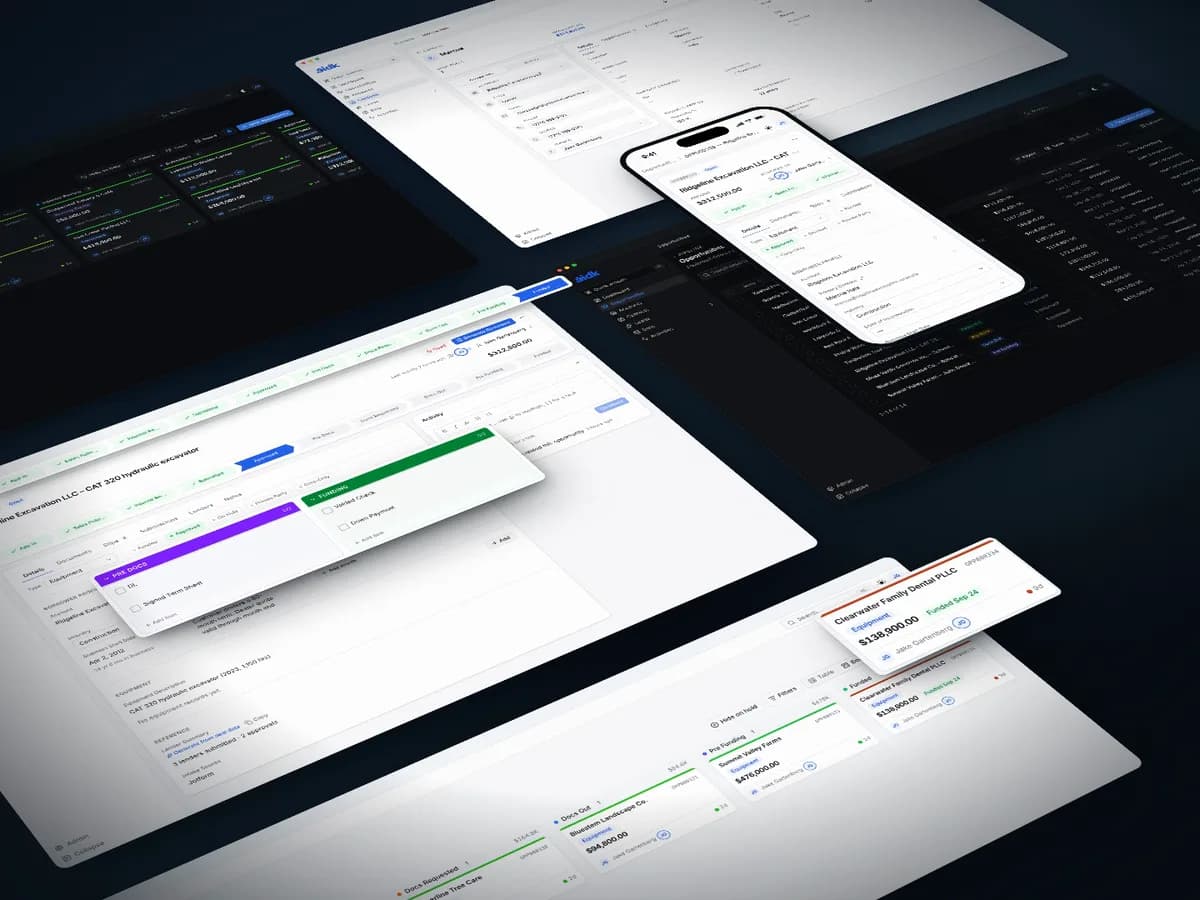
Golden Capital – a website, dealer portal and CRM for equipment financing

We designed and built Golden Capital's website, an invite-only portal where equipment dealers track their deals, and the internal CRM that carries each deal to funding.

Client
Golden Capital
Industry
Commercial equipment financing
Stack
Next.js · React · TypeScript · Tailwind CSS · shadcn/ui · Supabase
  • Website, dealer portal and internal CRM, designed and built by Altius
  • Invite-only portal with multi-factor sign-in and a full audit log
  • OCR-first document intake, with AI only where OCR falls short

FAQ

Scope, handoff and working with your developers.

Something else on your mind? Ask us directly.

01What does web app design include?

Everything between “we have features” and “developers can build this”: information architecture, user flows, wireframes and full UI for every screen in every state. You also get a design system of reusable components and a dev-ready handoff with specs and tokens, so nothing is left to interpretation during the build.

02How is web app design different from website design?

A website’s job is to make a strong first impression and convert a visitor in a few minutes. A web app is a tool people use every day, often for hours — so success shifts from bounce rate and conversions to task speed, error rates and how little training a new user needs.

03Do I need design and development, or just design?

Either works. If you have your own developers, the designs stand alone — files, tokens and component specs any competent team can implement. If you don’t, we build what we design, which means nothing gets handed off that’s impractical to ship.

04How long does web app design take?

It scales with the number of screens and user roles — a focused dashboard is much faster than a multi-role platform. When we’re building the app too, design runs ahead of and alongside development, and most projects launch in 4–10 weeks.

05Do you test designs with real users?

When the flow warrants it, yes. We put a clickable prototype in front of real users attempting real tasks before any code is written — the cheapest point in a project to learn a flow is confusing. What trips people up gets fixed in Figma, not discovered in production.

06What do my developers actually receive?

Organized Figma files, design tokens for color, type and spacing, component specs and every screen in every state — not just the happy path. We stay available during implementation to answer questions and QA against the design, so the shipped app matches the mockups.